01
Operations platforms & ERPs
Systems that connect the business workflows that belong together. Altahdi brought POS invoicing, daily journals, payroll, reporting, and role-based access into one Arabic-first ERP.
Web Applications
Web AppWhen a business depends on spreadsheets, message threads, repeated data entry, and someone’s memory, the workflow is carrying too much risk. I turn that process into a clear application with the right roles, rules, reporting, and operational visibility.
01 / When this service fits
Start with the situation your business is in. The useful scope follows from that—not from a preset package.
What started as one Excel file now runs invoicing, scheduling, or inventory—and one wrong cell can disrupt the workflow. It may be time for software with explicit rules.
Payroll, financials, and client data shouldn't be visible to every employee with the shared login. You need roles, permissions, and an audit trail.
The numbers exist across tools, notebooks, and informal records. The application should bring the agreed operational data into a current, role-appropriate view.
You tried the SaaS tools; your workflow bends until it breaks. A purpose-built application molds to how your business actually operates.
02 / What we can shape
Systems that connect the business workflows that belong together. Altahdi brought POS invoicing, daily journals, payroll, reporting, and role-based access into one Arabic-first ERP.
Give clients a place to see their orders, documents, and status without relying on email—with authentication, notifications, and traceable status changes where the workflow requires them.
Focused software for repeated operational work: approval flows, validated data entry, task boards shaped to the process, and search across the records people need.
Financial and operational UIs designed right-to-left from the first screen — proper Arabic terminology, mirrored data tables, and layouts your team reads naturally.
03 / What the engagement can include
8 clear scope · one client-facing lead · visible progress
Technology chosen for the product
The architectural approach used for Altahdi—modular state, typed workflows, and explicit permissions chosen to support controlled change as the system evolves.
See the approach in a delivered product — Altahdi System04 / How the work moves
I sit with the people who do the work — operations, accounting, reception — and trace how value and money actually move. That map becomes modules, data models, and roles.
Screens shaped around the busiest moments: the invoice at the front desk, the end-of-day journal, the report before the meeting. Familiar patterns are used to reduce avoidable training overhead.
The core flow is reviewed first, followed by the next agreed modules—billing before payroll, journals before analytics, when that sequence fits the workflow. Progress is visible in working software.
Accounts, permissions, and alerts configured; the team onboarded screen by screen; workflows tuned from real daily usage rather than assumptions.
05 / Evidence in context
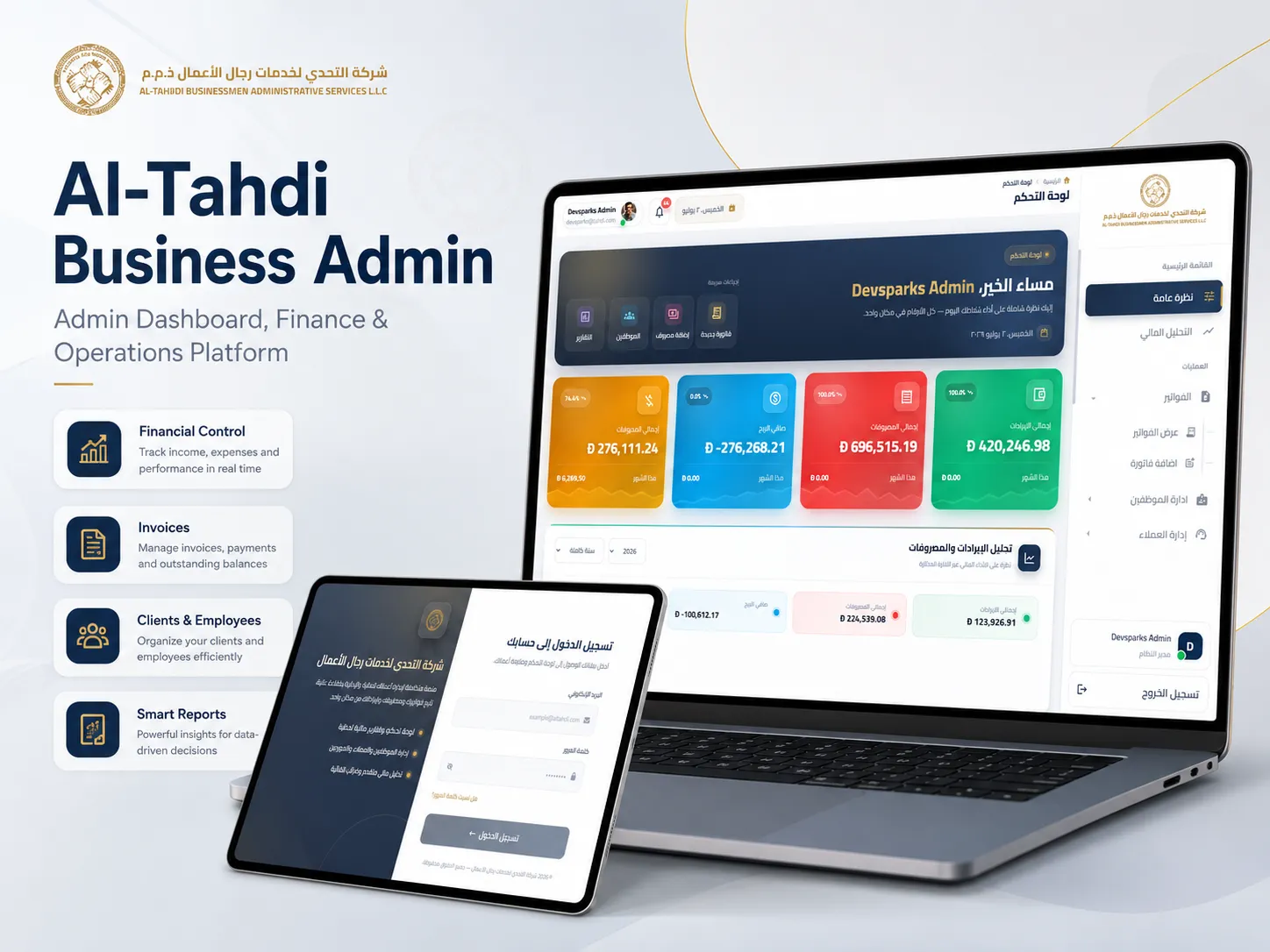
An Arabic-first ERP on a Laravel + MySQL backend that replaced paper and spreadsheets with one system for POS invoicing, daily journals, payroll, permissions, and live financial reporting.
Read the Case Study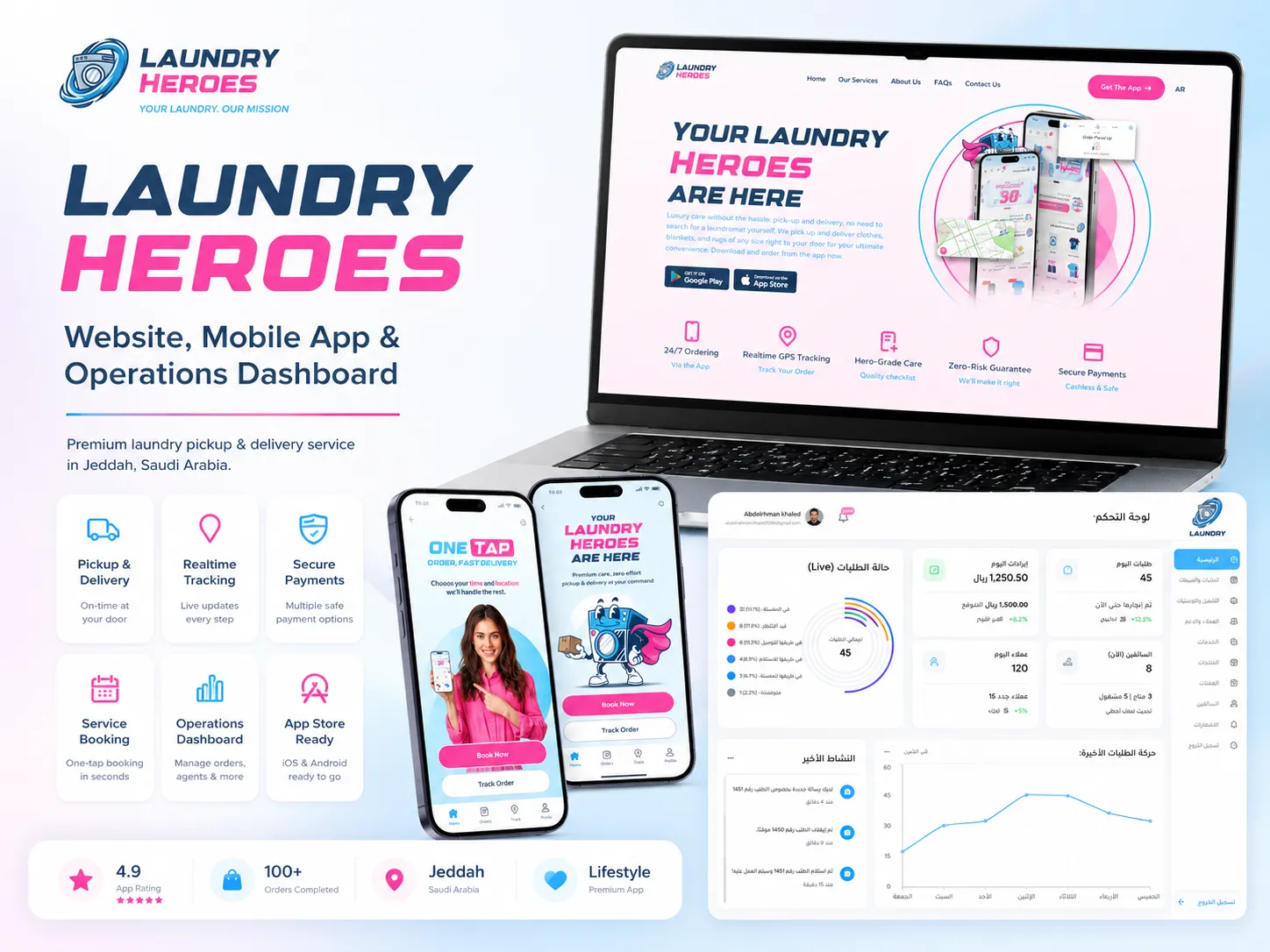
A bilingual on-demand laundry ecosystem for Saudi Arabia: one customer app, one admin dashboard that runs and manages it, and one website — connected by the same Laravel backend, brand, ordering, payment, and live-tracking flow.
Read the Case Study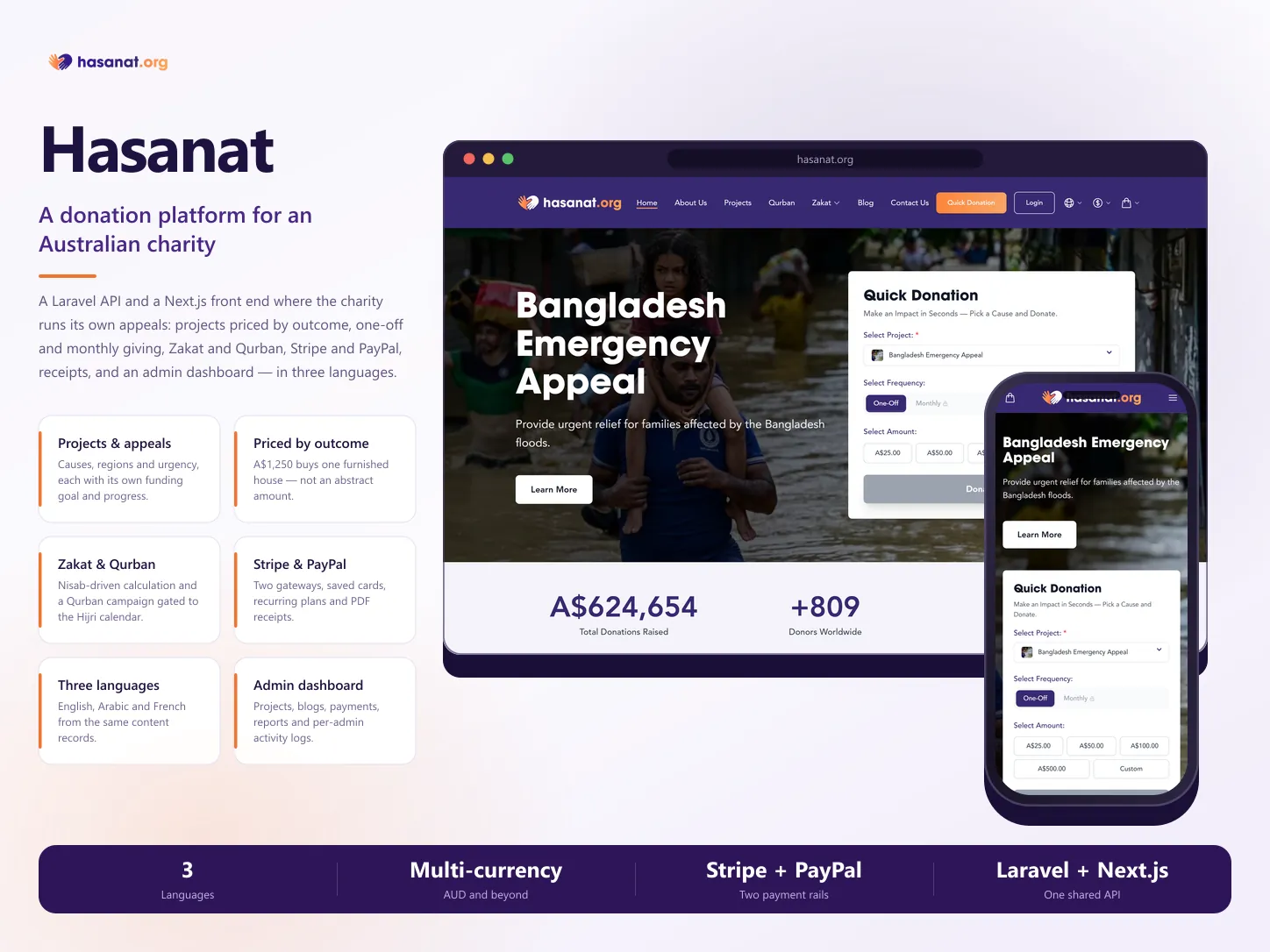
A donation and Zakat platform for an Australian Islamic charity: appeals priced by outcome, one-off and recurring giving, Zakat and Qurban gated to the Hijri calendar, Stripe and PayPal settling into one ledger, and an admin dashboard — over a Laravel API in English, Arabic, and French.
Read the Case Study06 / Practical answers
Your Next Decision
Tell me what you are building, where the work stands now, and what success should look like. We can use that context to identify the first decision worth making.
The schedule depends on roles, workflow depth, data migration, integrations, and reporting scope. Delivery is planned by module, with a project-specific sequence that exposes working workflows for review before the full system is complete.
By sitting with the people who run it, not just management. The discovery stage maps the real flow — including the exceptions and workarounds — before anything is designed. Complicated workflows are usually the strongest case for custom software.
Yes — designed right-to-left from the first screen, not mirrored at the end. Proper Arabic accounting and business terminology, RTL data tables, and bilingual output like invoices in Arabic or English. It's a specialty, not an add-on.
Real usage can surface refinements that were difficult to see during definition. The codebase is structured for planned change, and post-launch iteration can be scoped directly or with added DevSparks capacity.